
Help
How to use Lone STAR. Sign in to see help for the rest of Lone STAR.
Signing In
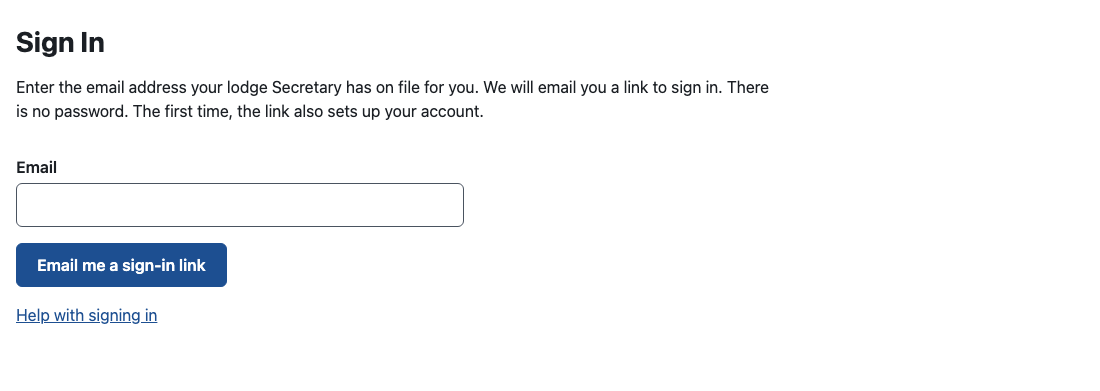
Lone STAR has no password. You sign in with a link sent to your email.
Getting a Sign-In Link
- On the Sign In page, enter the email address your lodge Secretary has on file for you.
- Choose Email me a sign-in link.
- Open the email from Lone STAR and select the link. Open it on the same device you asked from.
The first time, the link also sets up your account.
If the Email Does Not Arrive
- Wait a few minutes, then check your spam or junk folder.
- Make sure you entered the address your lodge has on file. Lone STAR sends links only to that address.
- Ask your lodge Secretary to check the email address on your record.
If the Link Has Expired
A link works once and expires after a short time. If the page says the link has expired or was already used, go back to Sign In and ask for a new one.
Two-Step Sign-In
If you are a Secretary, Lodge Admin, District Deputy, or hold other district or Grand Lodge access, Lone STAR also asks for a code from an authenticator app on your phone each time you sign in. Members and lodge officers may turn it on, but do not have to. A Worshipful Master who signs certificates or letters electronically needs it to sign.
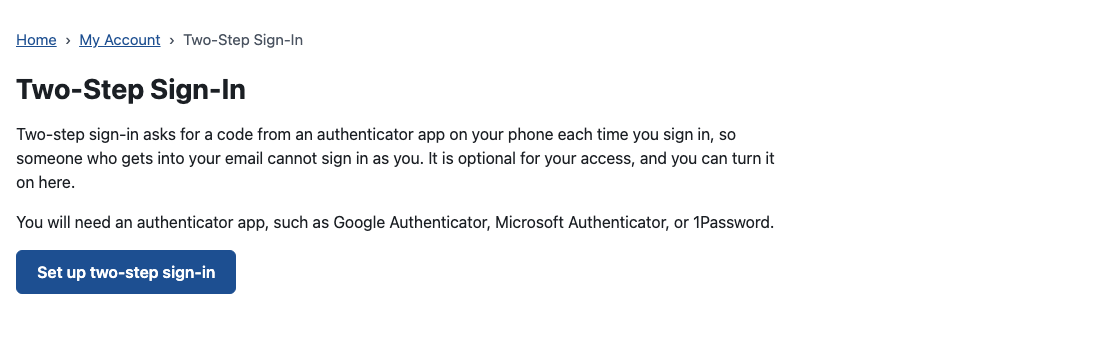
You will need an authenticator app, such as Google Authenticator, Microsoft Authenticator, or 1Password.
To set it up:
Sign in with your link. If your access needs it, Lone STAR opens Two-Step Sign-In for you. You can also reach it from My Account, Two-Step Sign-In.
Choose Set up two-step sign-in.
Scan the code on the screen with your authenticator app. If you cannot scan it, type the key shown below the code into the app instead.
Enter the code the app shows and choose Turn on two-step sign-in.
After that, each time you sign in, enter the current code from your app and choose Continue.
A New or Lost Phone
If you change phones or lose the one with your authenticator app, contact the Grand Secretary's Office. After confirming who you are, they reset your two-step sign-in, and Lone STAR offers the setup again the next time you sign in.
More Help
If help does not answer your question, ask your lodge Secretary.
Help explains how to use Lone STAR, not Grand Lodge law. For a question of Grand Lodge law, ask your District Deputy Grand Master.